
Engage Agent
The Engage Agent application has been upgraded to a service. This allows it to launch automatically and run in the background without a user needing to be logged in. The Engage Agent is used by our products to integrate with your clinical system. The new service will allow your patients to book and cancel appointments at any time of the day or night.
Contact us if you want to switch to using the service now.
Appointment booking links
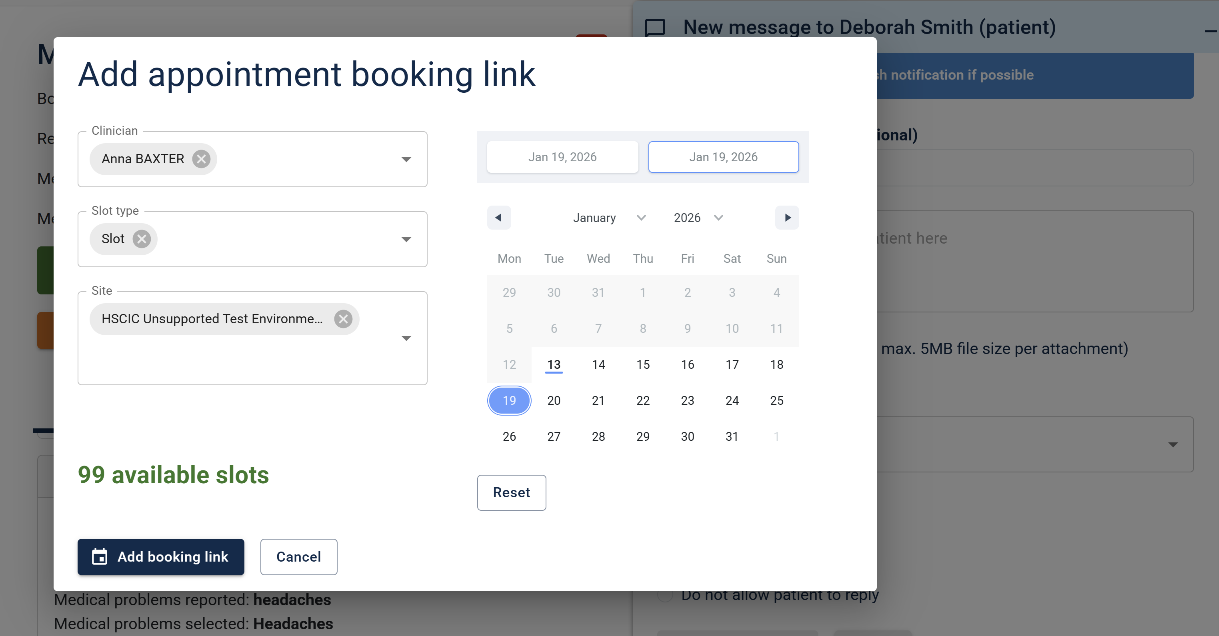
Appointment booking links are now available when messaging a patient in response to their request, for customers using SystmOne and EMIS PCS, (available for EMIS Web and Vision REST later in the new year). Booking links can be configured so that the patient can only book appointments with specified clinicians, and now they can be filtered further to restrict booking into certain slot types, locations, or within a given date range.
Engage Call
Patient call messages
You can now change the duration that the patient call messages are displayed on your waiting room TVs. Go to the Shared settings tab for Waiting room TV in your Management Console: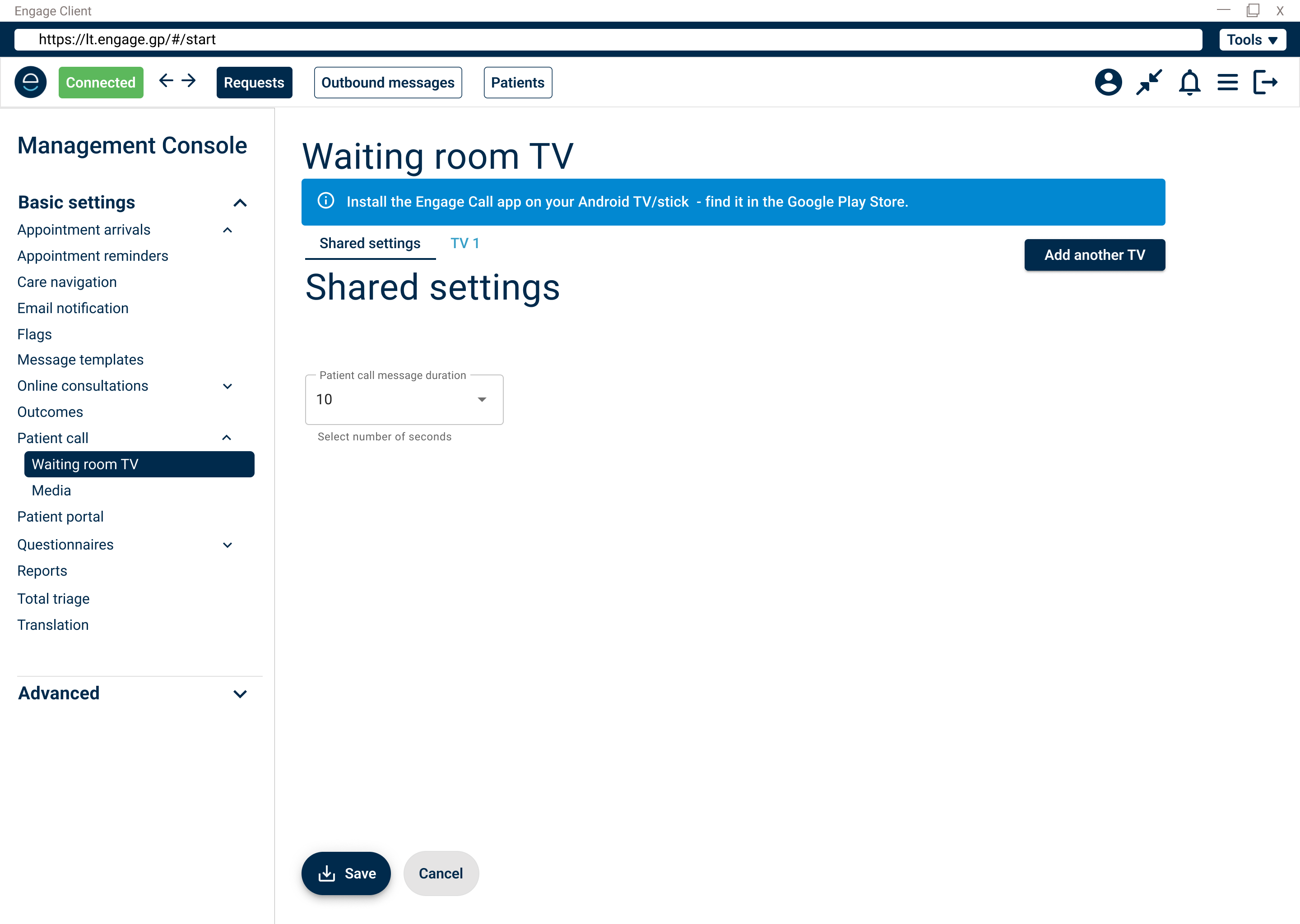
Online consultations
Improvements to Total Triage
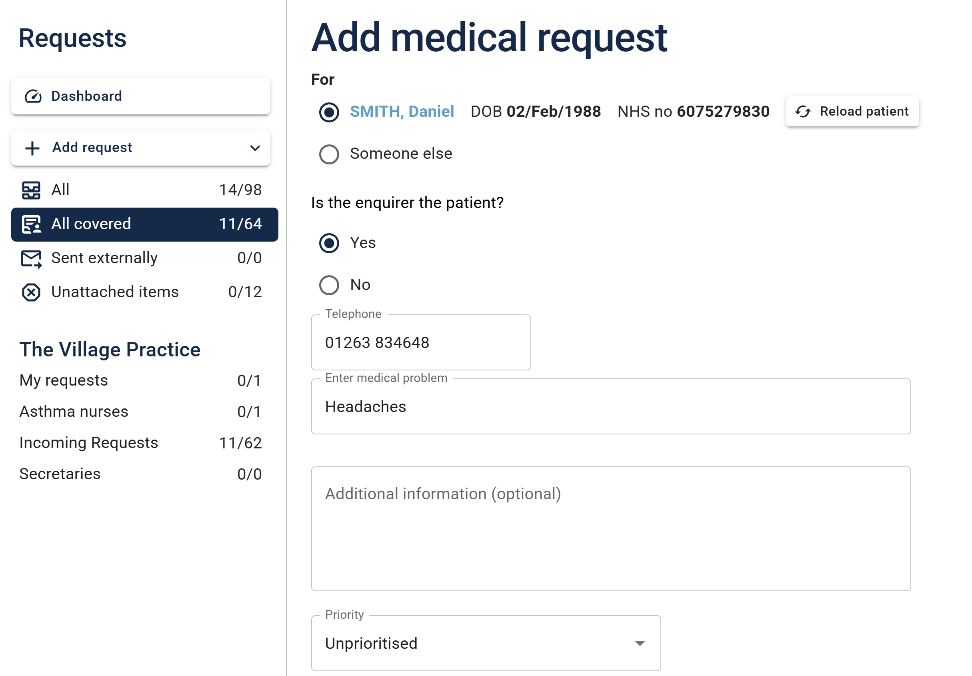
Our Total Triage feature allows you to add a request on behalf of a patient (or their proxy). Following the gathering of customer feedback, we've made some improvements to the user interface to streamline the process.
You now select the type of request you want to add from the sidebar in Requests or when using the Engage Toolbar. Then complete the one-page form which will now automatically select the patient loaded in the clinical system. You can, of course, search for an alternative patient if you need to.
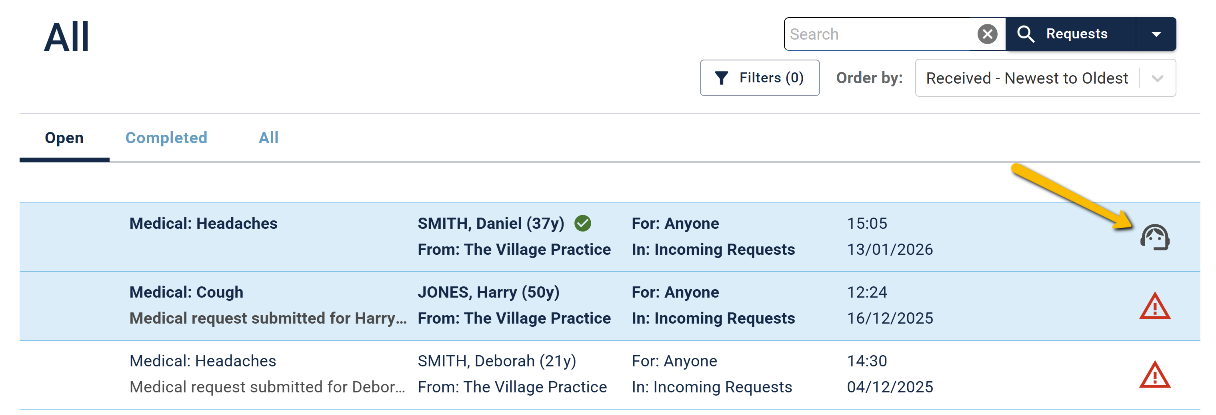
Identify requests taken by staff in the request list
We've added an icon which will allow you to easily identify those requests that were taken by a member of staff.
Simplifying options
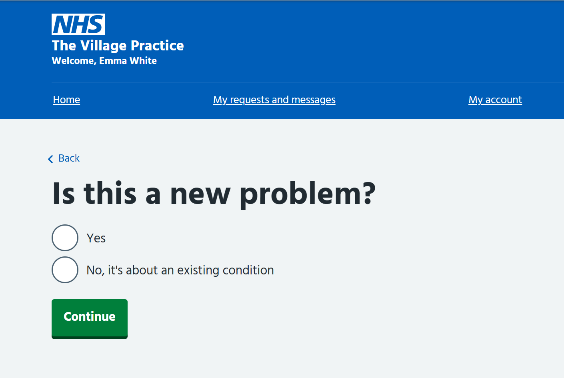
When a medical consultation request is submitted, the user is asked if it concerns a new or existing problem - we've retired the option 'I've been asked to get back in touch' due to low usage, and user testing showed that it confused patients.
Bug fixes
You'll be pleased to know that this lot are now toast...
- Engage Arrrive - questionnaire responses failed to attach for EMIS PCS customer
- Engage Call - spinner that showed video uploaded didn't clear on error
- Message templates - changes to questionnaires were not updating correctly