

In order to prevent your practice from incurring further API fee's from EMIS after ending your contract with Engage Health, you'll need to make sure to come into the EMAS manager section of EMIS Web and de-activate the Patient Entry Touchscreen API.
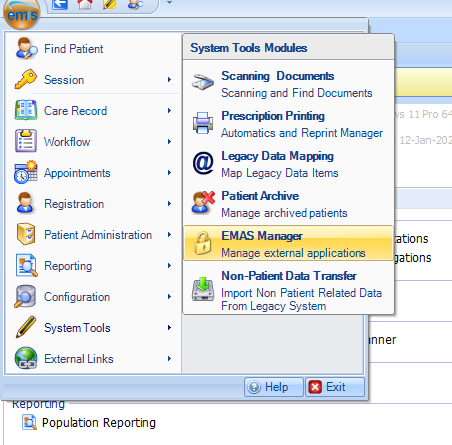
EMAS manager can be accessed from the main menu, under system tools.
Inside EMAS manager, click on "Partner API"
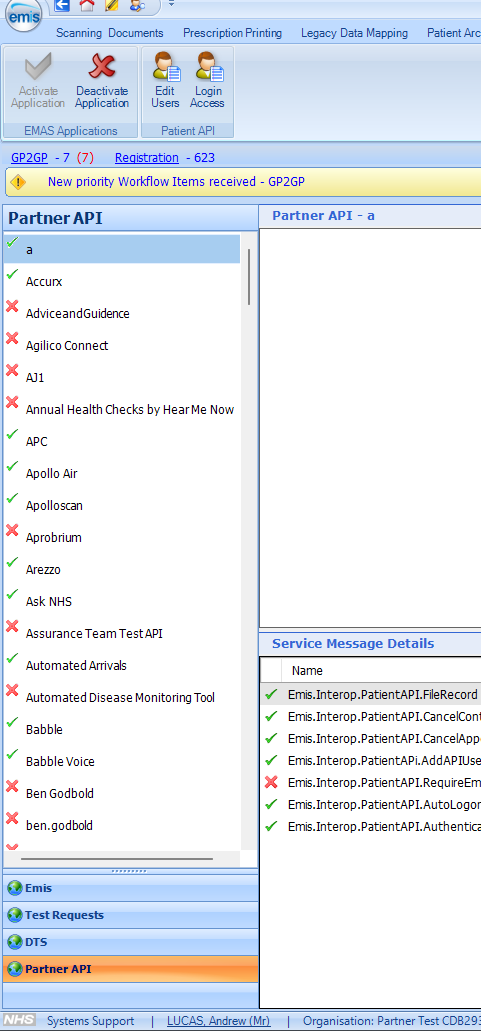
Now locate Patient Entry Touch Screen in the list above, click to select it and then click De-Activate Application button.