
Engage Call
Reporting
We've added a Patient call report in the Management Console that will allow you to view the statistics for Engage Call
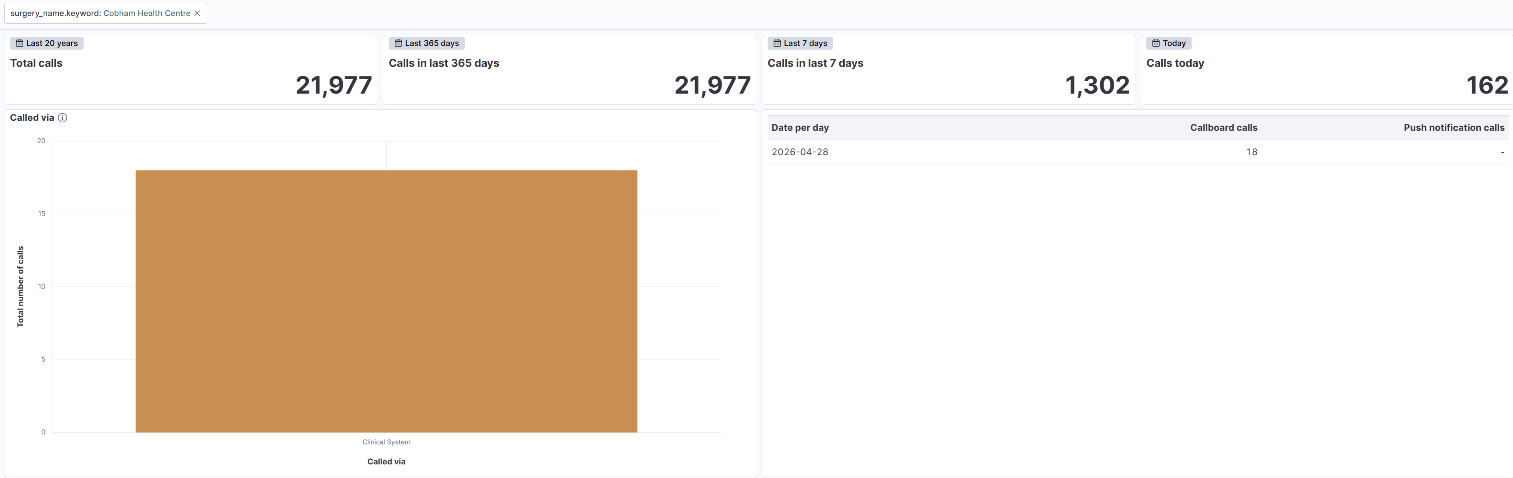
Non-integrated patient call
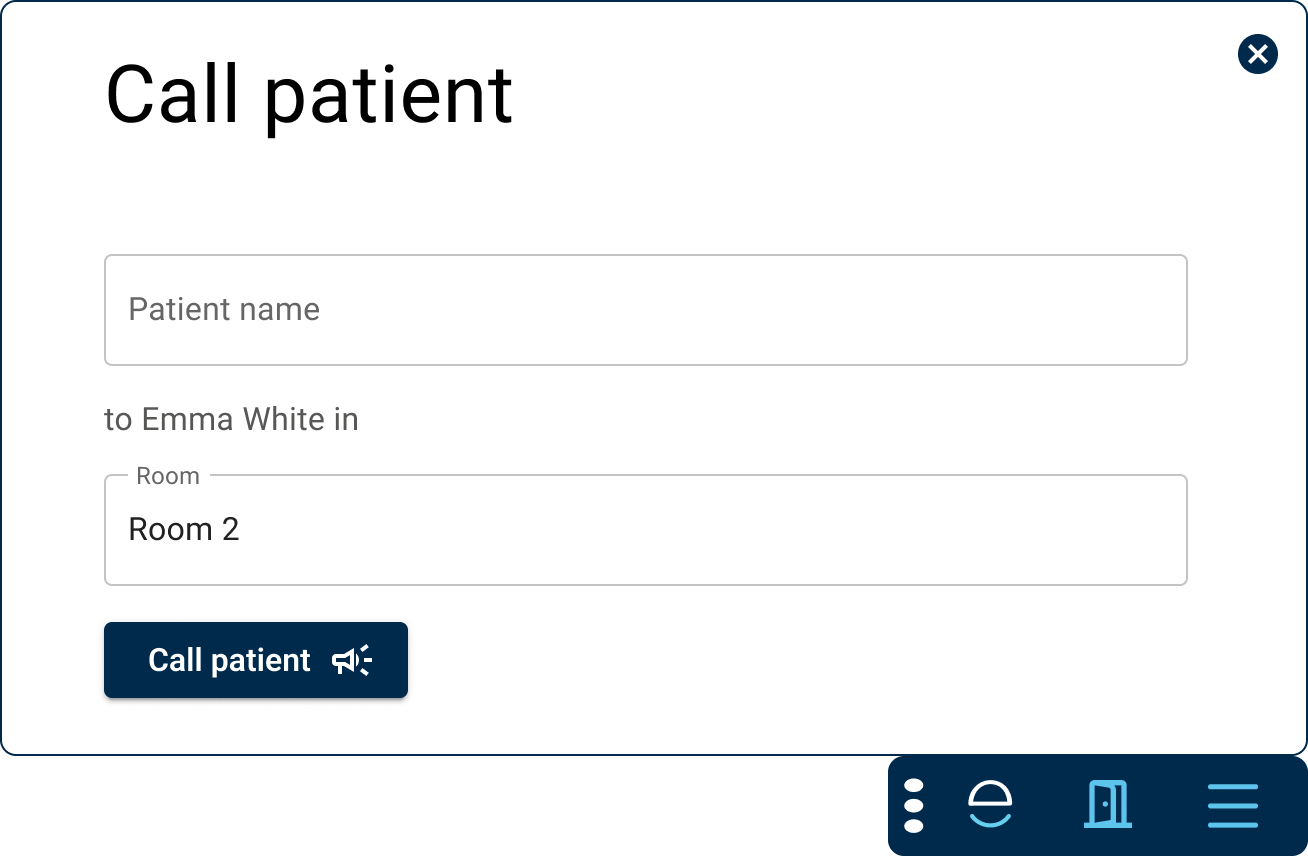
We're excited to announce a simple version of Engage Call designed for those organisations where integration with the appointment system is not currently possible.
Patients can be called via the Engage Toolbar to the right room.
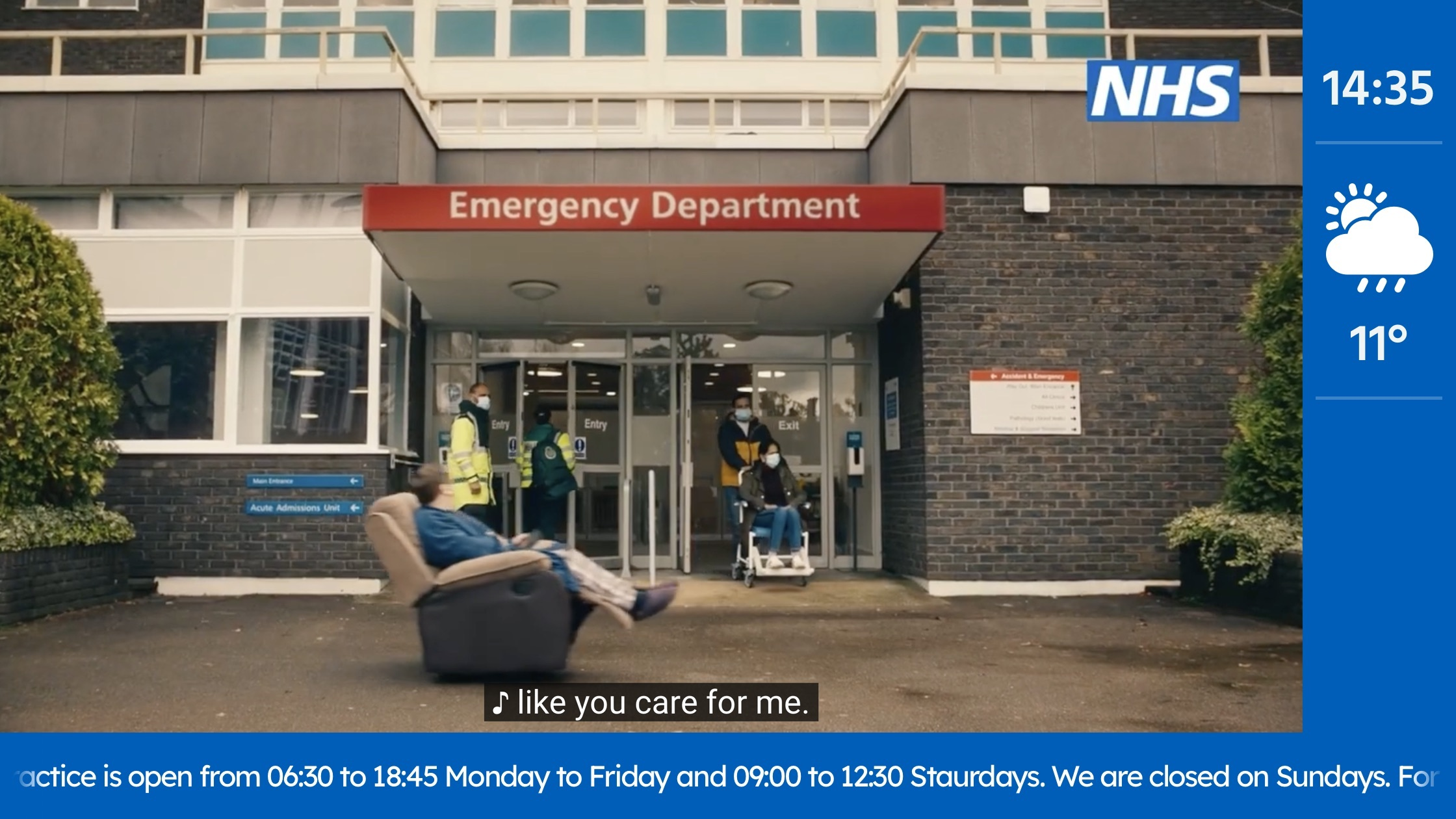
Customers can take advantage of all the other great features of the Engage app on their waiting room TVs, displaying news and health campaign videos.
Online consultations
Responding to requests added in the Engage Client
You will be pleased to hear that you can now respond to patients (or their proxies) whose requests have been added in the Engage Client (sometimes referred to as our Total Triage feature) via two-way message, in the same way as any other request.
If a mobile number or email address has been taken, or these contact details are available for a patient via their clinical record, you'll have the option to send a message. As always, if we can utilise a push notification (NHS app or Engage Consult app) to notify the patient most expediently, and save on any potential SMS costs, then we'll do this automatically for you.
Bug fixes
Here are the additional fixes we've implemented in this release:
- Some Arrive questionnaires resulted in an error when sending them directly to the patient's record.
- NHS login users were able to edit their personal details in their Engage Consult account - we've prevented this now as we take those details from NHS login, and any changes would have been overridden on the next login.
- A customer reported being unable to add a particular clinical code to a questionnaire.
- And for those eagle-eyed among you, we fixed a typo in the Workload report.