
There's lots to cover in this release, here goes...
Engage Arrive
Contact details checks
As requested, we now give you the option to select which contact details you want to check with patients:
We've also made it clearer when we're asking about a home telephone number (landline) rather than mobile.
This feature is now available whether the patient is checking in using a touchscreen or their personal mobile device.
Engage Consult
Accessibility
We're always striving to make our solution as accessible as possible, we've now fixed all of the issues raised in our last assessment.
Total Triage
When adding a medical request in the Engage Client, you can now select from a list of matching medical problems: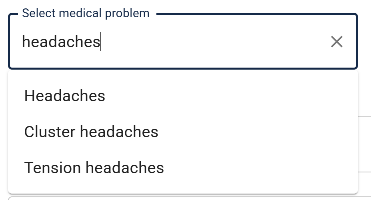
This will allow for better reporting of medical requests gathered by staff.
Blood pressure inputs
We've added validation on all blood pressure reading inputs to ensure that the patient enters a higher systolic reading.
Friends & Family Test
Patients can now opt out of receiving further invitations to complete the Friends & Family Test for your organisation.
Structured data
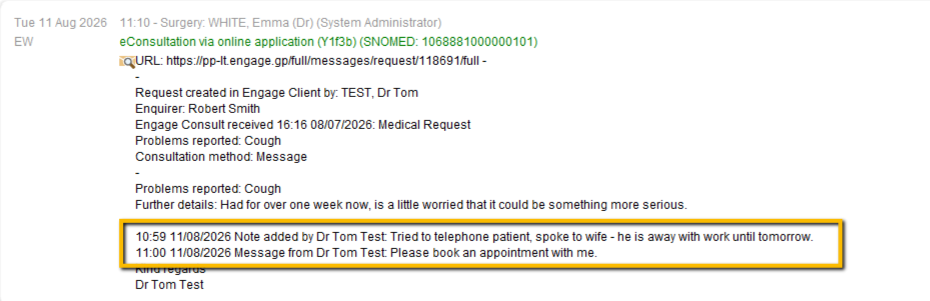
When a request is sent to the patient's clinical record as structured data (rather than as a PDF), the date/time for each message or note added to that request is added to give an accurate audit trail.
NHS login
We've added a link allowing NHS login users to manage their NHS login details from the My account area in Engage Consult: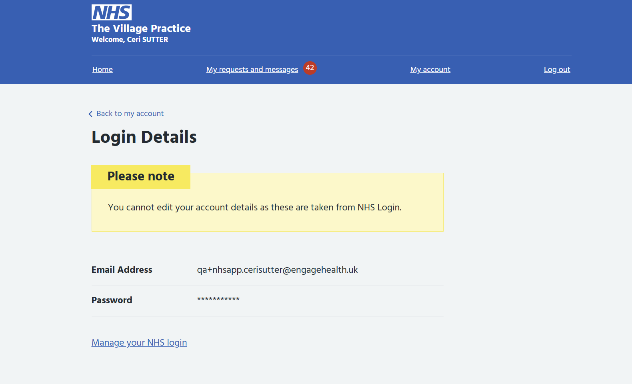
Attach queue
When requests are sent to a patients' clinical record, they are added to a queue to be attached. Up until now, the Engage Desktop Clients have picked up those requests from the queue. Soon, we will be moving this queue to the Engage Agent.
The Engage Agent is a service that is installed on one or more of your PCs, it does not require a user to be logged in and allows Engage to interact with your clinical system at any time of the day or night. This allows for features like appointment booking to be used by your patients outside of your normal hours. Using the Agent for attaching will offer a more efficient service and will allow for collaboration with other organisations.
You may or may not have the Engage Agent installed already depending on the Engage modules you currently use. Any Agents installed will be listed in your Clinical integration settings in the Management Console. Click here for instructions to install an Engage Agent.
For the time being, your desktop clients will continue to attach your requests.
Engage Client
Patient age
We've tweaked the request header slightly to make it a little neater, and it now includes the patient age. We hope this is helpful.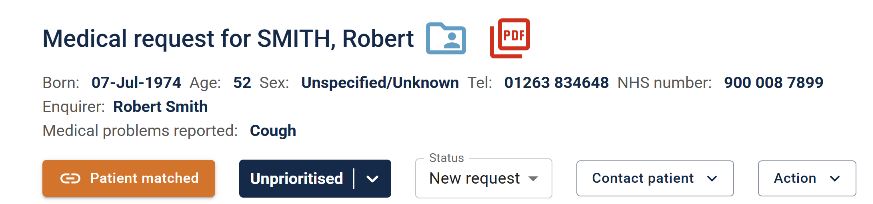
Autocomplete
We've removed autocomplete from fields in the Engage Client where it was not useful, for example, patient name fields.
Template folders
Templates can now be arranged into folders, making it easier to organise and find the ones you need.
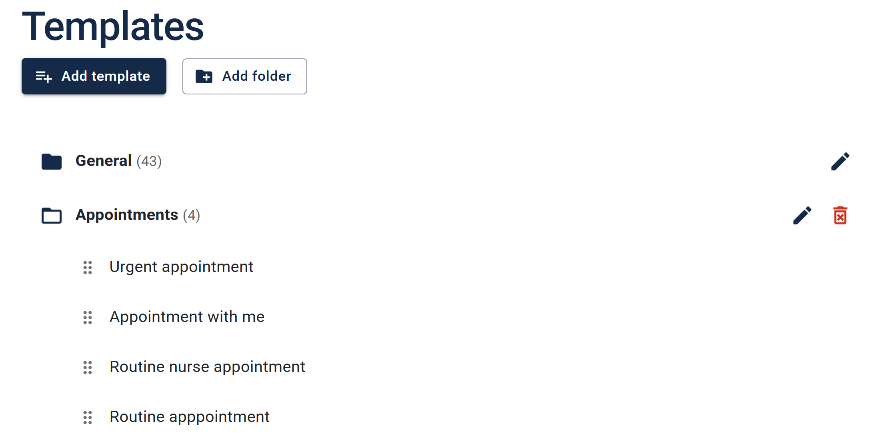
When choosing a template, you can search as before, or navigate through folders to locate the template you need.
Templates with clinical codes
You can also now add clinical codes to templates, so that this field is auto-populated wherever you use that template: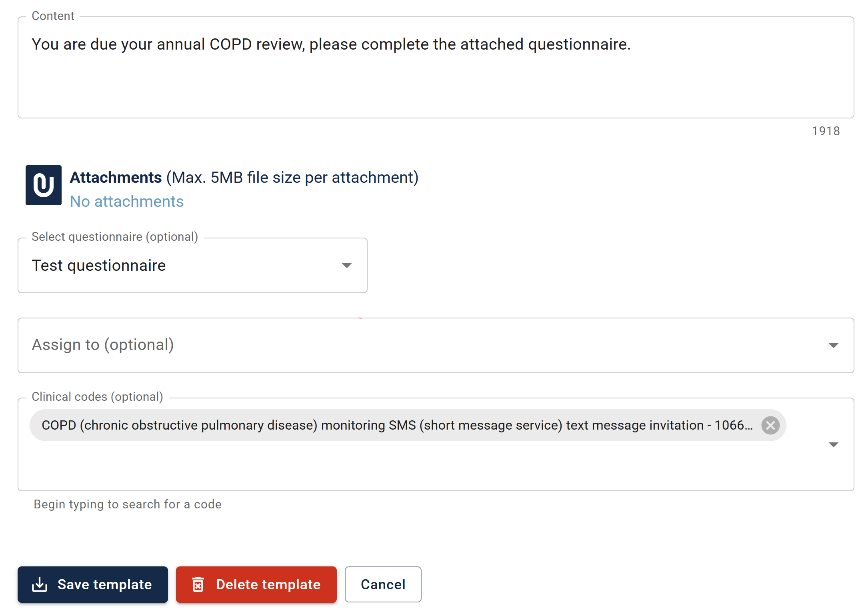
Messaging
Bulk messaging for EMIS PCS customers
We have developed a patient database that will allow our EMIS PCS customers to fetch patients' contact details in order to send out bulk message campaigns.
Check details for scheduled messages
For messages that have been scheduled for a future date, we will now check if the patient's record is still active and that we have the correct contact details before sending the message.
Note this requires the Engage Agent to be installed. Click here for instructions to install an Engage Agent.
Patient recalls
You may notice Patient recalls in the recommended services section of the Management Console.
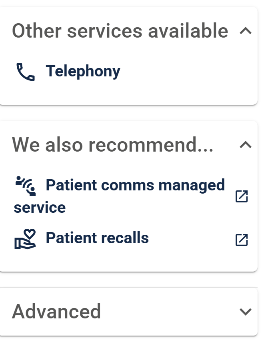
We've partnered with Practice Toolkit to offer a comprehensive recall system for all your patient recall needs, let us know if you'd like some more information about this.
Call
NHS videos
We've updated the list of NHS campaign videos available to play on your waiting room TVs to the latest NHS playlist.
Location
For our SystmOne customers who use the Engage Toolbar to call patients, you can now filter patient call messages for a given waiting room TV to a particular location.
Note: this was already available for EMIS Web customers.
Patient title
Just to let you know, we've removed the patient's title from the patient call messages for EMIS Web, as the text-to-speech was occasionally reading these incorrectly.
Bug fixes
- The desktop client would occasionally crash when sending all unattached requests to EMIS Web when one of those requests included a large attachment
- NHS login users were able to edit their details which was pointless as their details were always updated with those held on NHS login
- Some styles were broken on the embedded NHS content that we display to patients - all sorted now.
- The submit button in Engage Consult briefly became active after a request had been submitted, allowing a duplicate to be sent
- Some appointment owners were missing for Vision customers
- Request couldn't be attached if all clinical codes unchecked