

Engage Arrive Mobile
Engage Arrive Mobile allows patients to arrive themselves for their appointments on their personal devices, they can access the arrivals pages either via a QR code on your check in screen, a QR codes displayed on a poster in the practice, via the link sent to them directly e.g. via an appointment reminder, or from your patient portal.
Activating Engage Arrive Mobile
To enable mobile arrivals you need to access the Arrive Mobile settings page of your Management Console, for guidance on accessing the management console see our guide here.
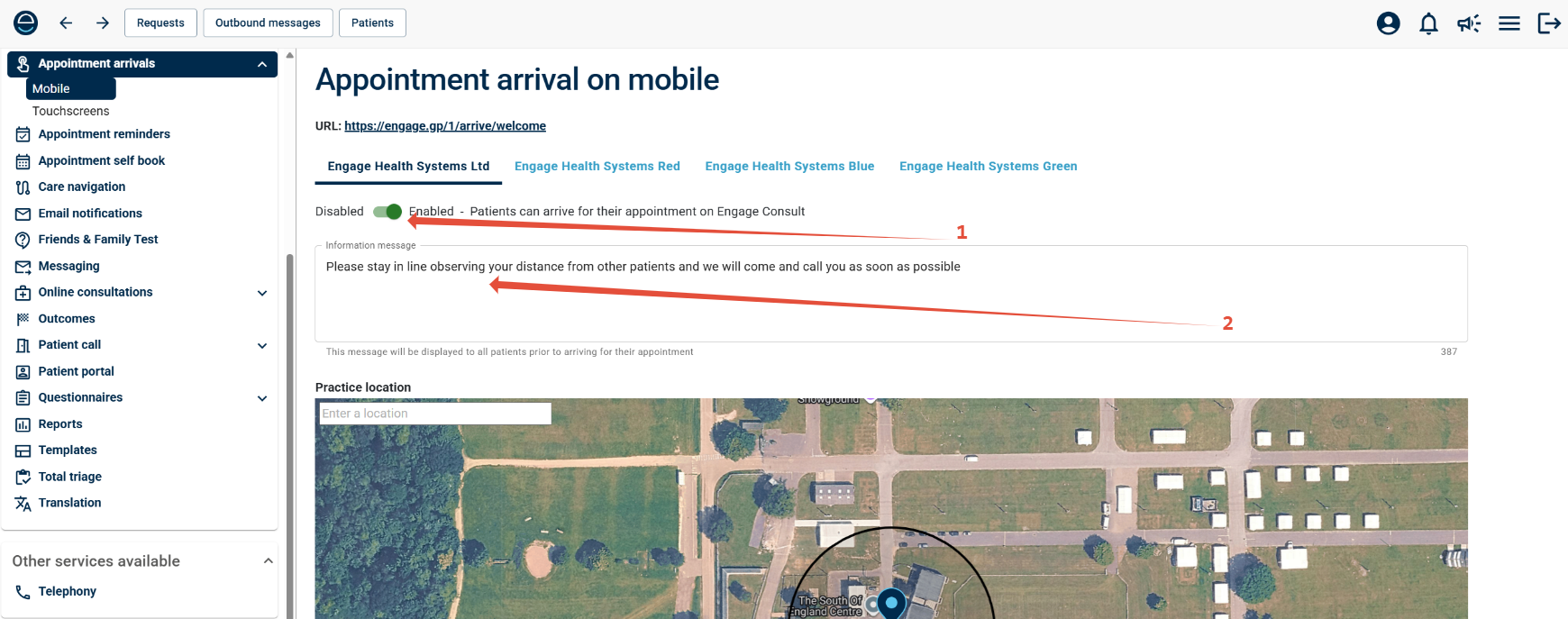
To enable Mobile Arrivals, you first need to toggle the service on by clicking the "Enable/Disable" toggle to "Enabled" indicated in green. (1)
You can also set a custom information message, this is an optional message that will display to patients when they start the check in process, you can enter this in the box marked 2.
Setting the Practice Location
Engage Arrive Mobile uses the location services feature on patient's devices to ensure they can only arrive when they are inside a set area around the surgery, to ensure this is accurate you'll need to select your location from the map on the settings page.
By default the map will display the pin at the centre of your practice's post code, this may or may not accurately reflect the location of your site.
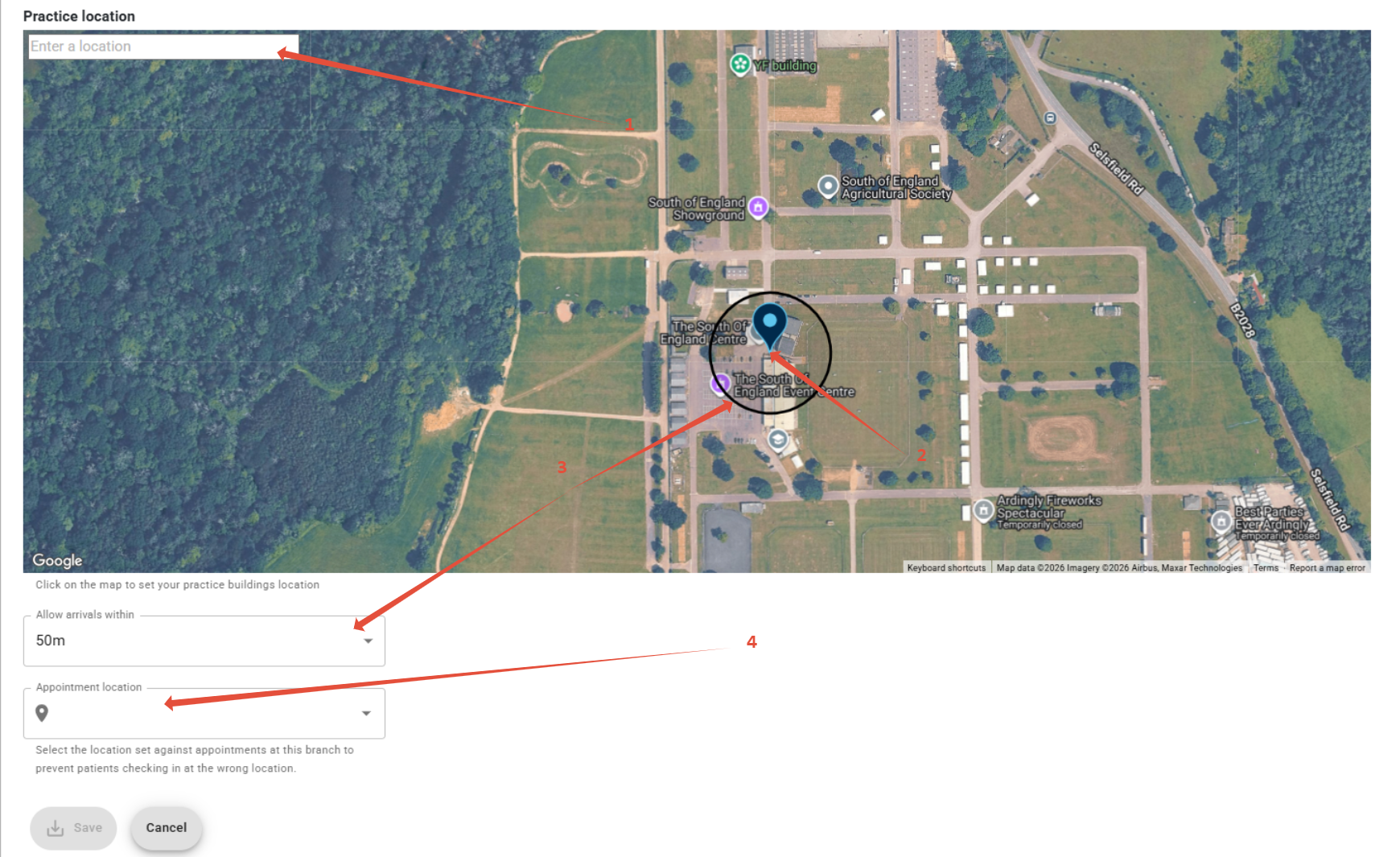
1. If the map doesn't show accurately, you can search your postcode in this box to find your location
2. You can then click on the map to move this pin to more precisely align the circle with your location
3. finally you can select the size of the bubble you wish to allow arrivals on, this will be reflected by the circle on the map.
4. If needed you can select which branch of your practice you wish to allow arrivals for, this prevents someone with an appointment at another branch arriving for their appointment within the set bubble.
Sharing your Mobile Arrival Link with Patients
If you are an Engage Arrive customer, a QR code will automatically be generated and displayed on your check in screen when Mobile Arrivals are active, patients can scan this instead of using the screen.
However if you aren't an Engage Arrive customer, or if you are and want more ways for the patients to access Mobile Arrivals, you can share the link in a few ways.
Finding Your Mobile Arrival URL
Your surgery's unique Mobile Arrival URL can be found at the very top of the settings page.
From here you can copy the link and paste it into an online QR code generator to generate a separate QR for use on posters around the surgery, you could also send the URL directly to patients as part of appointment reminders, and they could then use that link to arrive when they reach the surgery.

Mobile Arrival Via the Patient Portal
All Engage Customers have a unique patient portal, that can be used to access all the Engage Services you have with us, if you only use Engage Mobile, your Portal will have only 2 items, Mobile Arrival, and NHS Self Help. However if you are an Engage Consult, Triage or Messaging Customer, then Mobile will simply be added along side the other services on your portal.
Viewing your Patient Portal
Your patient portal can be viewed and edited from the Management Console, this is an example of a Mobile only customer's portal editing page.
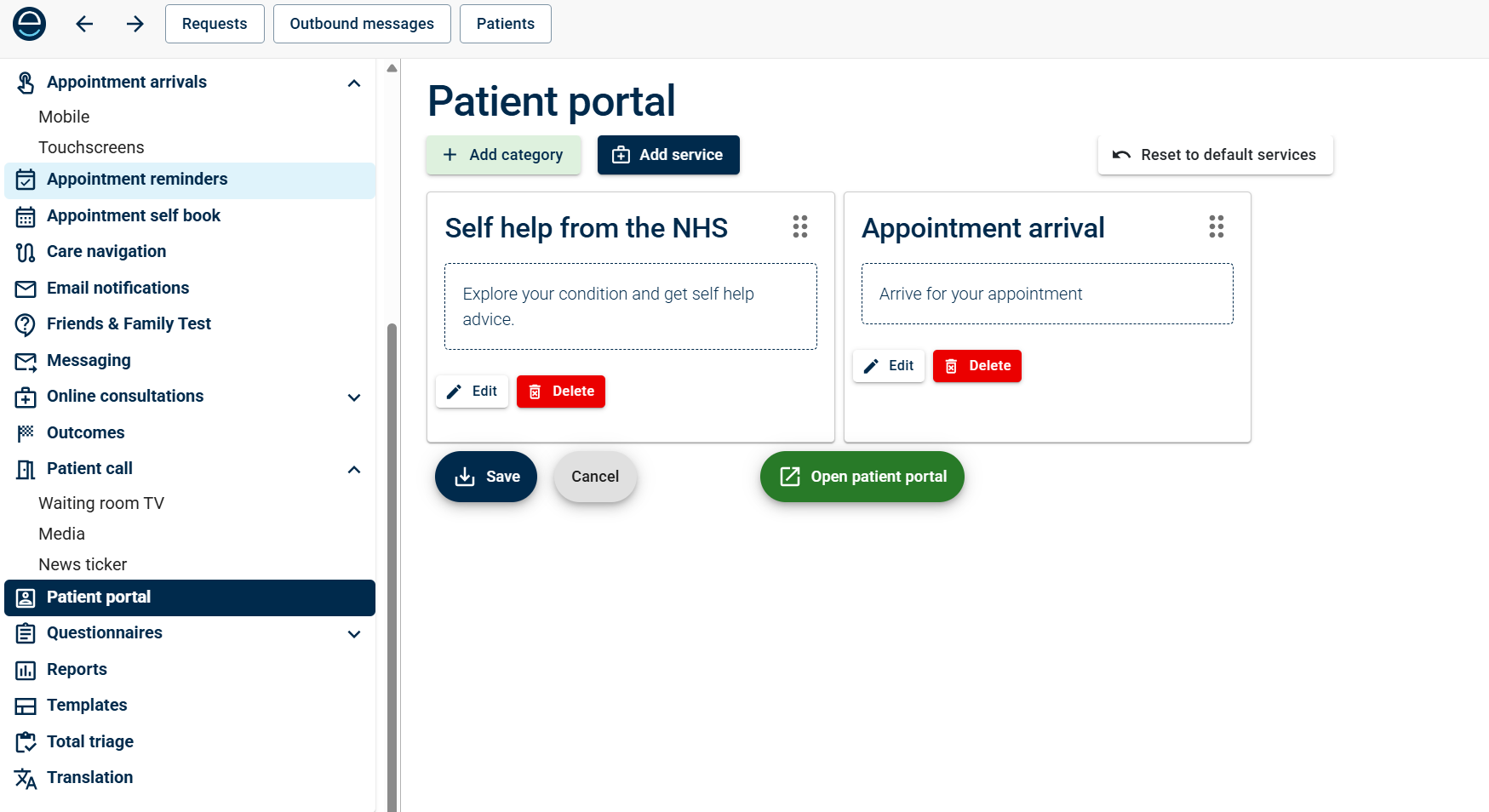
You can preview your portal by clicking the "Open Patient Portal" button, which will look something like this
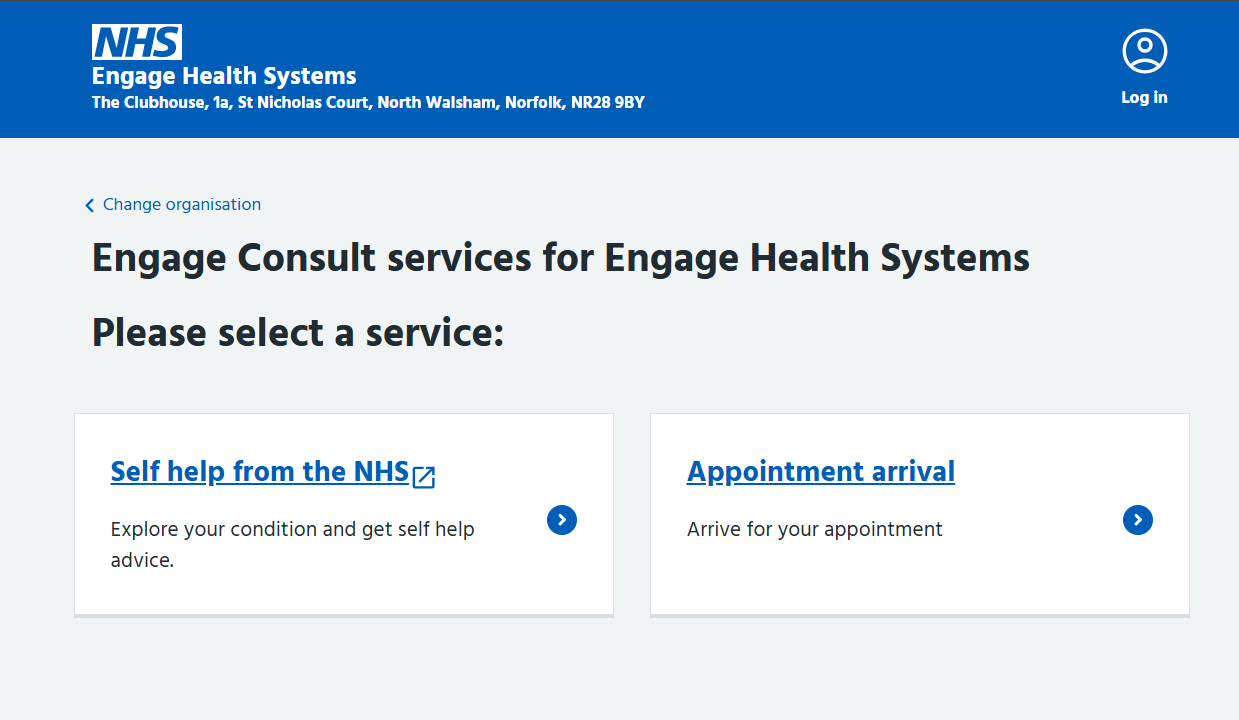
From that preview you can copy the URL/Address of the portal, if you wanted to share that with patients or link it from your surgery website.